
Why Every Property Owner Should Create a Video Inventory Before a Loss Happens
Most homeowners and property owners believe that if their home were ever damaged by a fire, tornado, or another major covered loss, the insurance company would simply “figure it out” and issue a payment.
In reality, insurance claims don’t work that way — especially when it comes to personal property coverage.
If everything inside your home were suddenly gone, you would be asked to prove what you owned, describe it in detail, and assign a reasonable value to each item. And you’d be asked to do this at the worst possible time: when you’re displaced, stressed, and trying to get life back to normal.
This is where a video inventory, created before a loss, becomes one of the most valuable tools a homeowner or property owner can have.

What Is a Home Video Inventory?
A video inventory is a simple walkthrough of your home or rental property, recorded on your phone, where you:
- Walk room by room
- Open closets, drawers, cabinets, and storage areas
- Narrate what you are seeing
- Mention approximate purchase dates and replacement values
This does not need to be professional or perfectly organized. The goal is documentation, not production quality.
A narrated video provides context that photos and memory alone cannot.
Why Memory Fails After a Major Loss
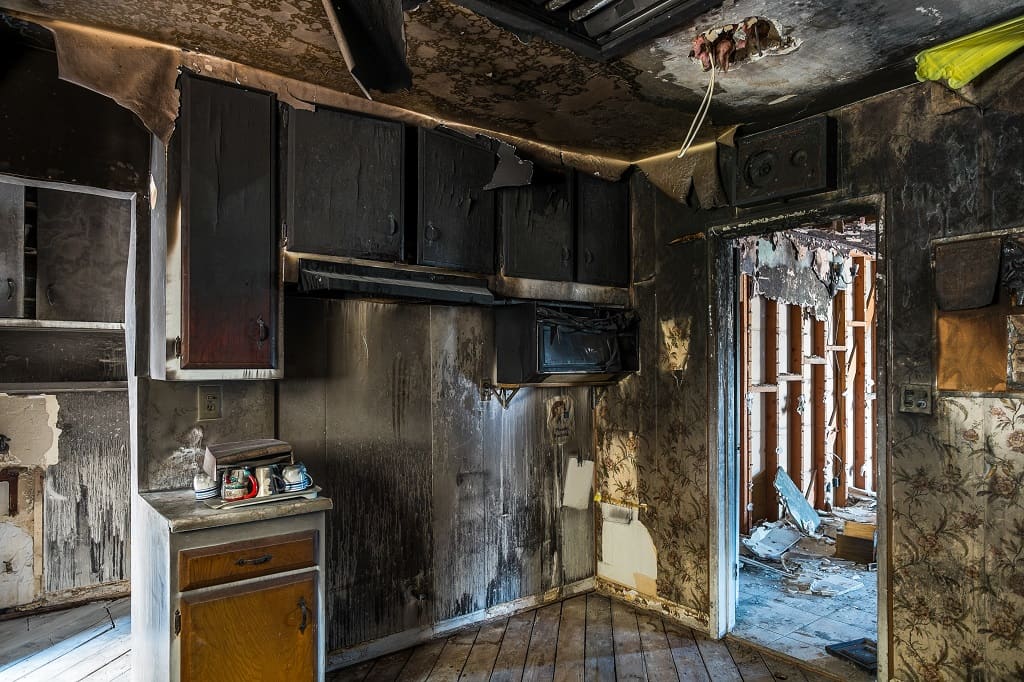
After a fire, water loss, or other catastrophic event, people consistently underestimate what they owned.
Not because they are dishonest — but because memory collapses under stress.
Think about how many items are inside:
- Kitchen cabinets and drawers
- Closets and dressers
- Basements, garages, and storage rooms
- Home offices and workspaces
- Children’s rooms
Trying to recreate all of this from memory weeks or months later often leads to underreporting and frustration during the claims process.
A video inventory allows you to show what you owned instead of relying on recall.
How Insurance Companies Verify Personal Property Claims
This is an area many policyholders misunderstand.
Insurance companies don’t deny claims because they don’t want to pay. Claims slow down or get limited when documentation is incomplete.
After a large loss, you may be asked to provide:
- Descriptions of individual items
- Approximate age or purchase timeframe
- Original cost if known
- Estimated replacement cost today
- Supporting proof
A narrated video inventory serves as baseline proof of ownership, quantity, and quality. It does not replace receipts, but it significantly strengthens a claim.
Replacement Cost vs. What You Originally Paid
Most modern homeowners insurance policies cover personal property on a replacement cost basis.
This means coverage is based on what it would cost to replace an item today with something similar — not what you paid years ago.
A video inventory allows you to add helpful context, such as:
- “This is a solid wood dining table purchased about five years ago.”
- “These appliances were installed during a kitchen remodel.”
- “This is specialized equipment used for work or hobbies.”
Those details matter during a claim.
Why Video Works Better Than Photos or Lists
Photos, spreadsheets, and receipts all help. However, video combines the benefits of all three:
- Visual proof
- Context
- Narration
A single walkthrough can capture hundreds of items in a short amount of time — including things people forget to photograph or list individually.
Video is not about being fancy. It is about being practical.
Who Should Absolutely Do This
Every property owner benefits from a video inventory, but it is especially important if you are:
- A homeowner who has lived in the same house for several years
- A landlord who owns appliances, fixtures, or furnished units
- A short-term rental owner
- Someone who has remodeled or upgraded a property
- A family with children
The more “life” inside a property, the more important documentation becomes.
Not Sure If Your Coverage Matches What You Own?
Creating a video inventory often uncovers coverage gaps people didn’t realize existed.
If you’d like a second opinion on your homeowners or property insurance, I’m happy to review it with you.
Where and How to Store Your Video Inventory
Recording the video is only half the process. Storage matters.
Best practices include:
- Uploading the file to cloud storage
- Emailing a copy to yourself
- Keeping at least one copy stored off-site
- Labeling the file clearly with the date
If the only copy lives inside the home, it may not be accessible after a loss.
A Note on Professional Walkthrough Services
Some homeowners ask whether their insurance agent should come to the property to record the video for them.
In most cases, that is unnecessary and not recommended.
The goal is not for someone else to document your belongings. The goal is for you to have usable proof if you ever need it.
The Bottom Line
Insurance works best when preparation happens before something goes wrong.
A home video inventory:
- Costs nothing
- Takes very little time
- Reduces claim stress
- Improves the likelihood of fair reimbursement
It is one of the simplest and most overlooked risk management steps a homeowner or property owner can take.
Need Help or Have Questions?
If you would like guidance on how to create a proper video inventory, or want a second opinion on whether your coverage limits match what you actually own, feel free to reach out.
Helping property owners prepare before a loss is always better than trying to fix things afterward.
Frequently Asked Questions
Do insurance companies accept a home video inventory?
In many claims, a video inventory can help support what you owned and the quality/condition of items before the loss. It may not replace receipts or other proof, but it can make the documentation process far easier and more accurate.
How long should a home video inventory be?
Most people can record a useful walkthrough in 10–20 minutes. The goal isn’t perfection — it’s capturing your belongings room by room with basic narration.
What should I say while recording the video?
Briefly describe what the item is, roughly when you bought it, and what it would cost to replace today. For higher-value items, include brand names, model numbers, and any identifying details when possible.
Where should I store my video inventory so it’s safe?
Store it off-site where you can access it after a loss — for example in cloud storage (Google Drive, iCloud, Dropbox) and by emailing a copy to yourself. If the only copy is on a phone or computer inside the home, it may not be available when you need it most.
Should I update my video inventory each year?
Yes. A simple update once a year is usually enough, and it’s also smart to update after major purchases, renovations, or upgrades.
Do landlords and rental property owners need a video inventory too?
Yes — especially if you own appliances, fixtures, flooring, cabinets, or furnish a unit. A pre-loss walkthrough can help document what was there before damage and reduce disputes during the claims process.
Will a video inventory tell me if I’m underinsured?
Often, yes. When people see the true value of what they own (and what it would cost to replace today), it can reveal that personal property limits or special item coverage may need a review.